Configured Qt X system devices have some items that can be controlled or changed in Command.
Important: The systems must have been configured using Qt X software and the devices must be registered in Biamp Workplace.
The Qt X system must be fully configured using Qt X software and be available in Biamp Workplace. There are items that can be seen and modified using Command to alleviate the need to visit the site to make minor adjustments. These changes are made by choosing a particular zone in the system.
Note: Sound masking for a zone must be enabled or disabled via the software.
An operator using Workplace Command can:
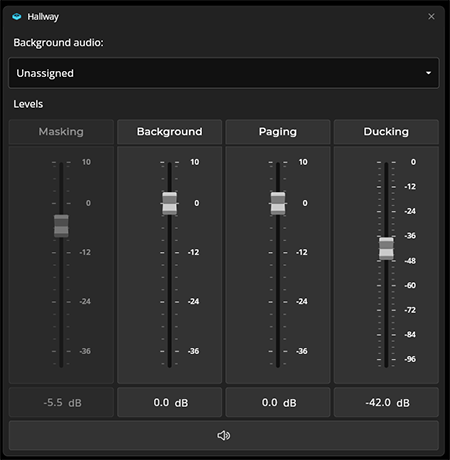
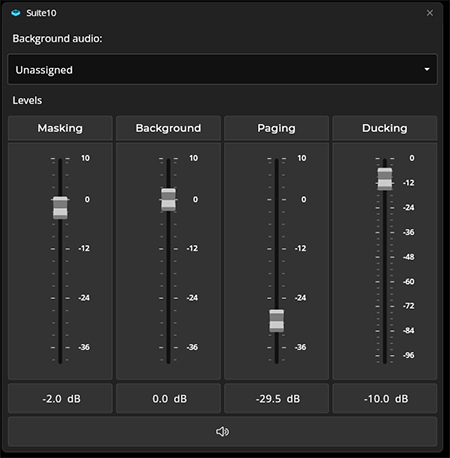
Examples of the zone level controls are shown below:
Typical zone AV level controls. Changes made to the level settings will be communicated in real time to the Qt X system.
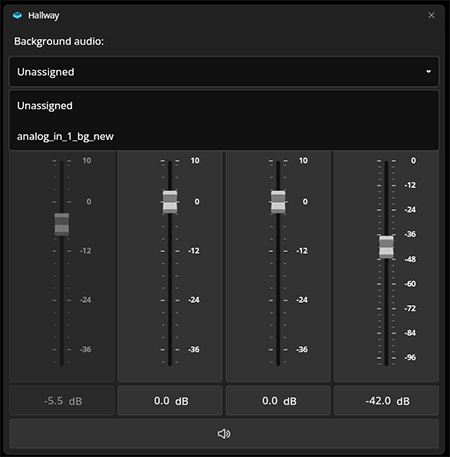
Background audio sources can be chosen or changed. The sources must be configured in the Qt X software for them to be visible in the dropdown list.
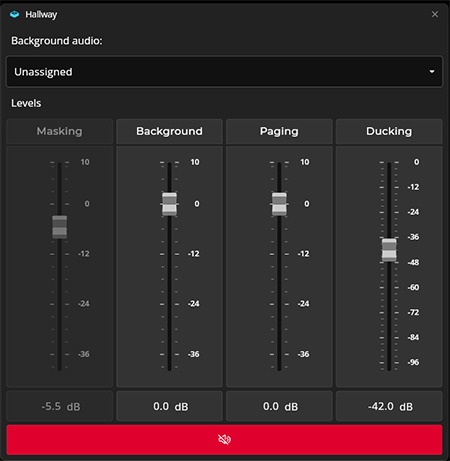
The zone can be fully muted by pressing the mute bar. It follows the rest of Command behavior and shows the mute status in red.
When sound masking is disabled, the level control will be greyed out.
Note: Masking must be reenabled with QtX software and the change sent to the system. Refreshing the Command browser window will show the update to the system.